Francisco Rodriguez

Vision statement

After this class is over I will know how to:

  • Properly plan the development of a website
  • Creat a website using CSS for the layout
  • Design a beautiful user-friendly website

Assignments

Assignment 1

  • Create a free web hosting account.
  • Create a homepage.
  • Create a web page that links to 5 nicely designed websites whose layout is created using CSS.
  • The pages should be nicely designed and use a consistent color scheme.
  • Use any program you would to complete this assignment.

Assignment 2

  • Download assignment2.zip file.
  • Use Dreamweaver to attach the CSS file to the HTML file.
  • Upload it.
  • Add a Link to the page on your homepage.

Assignment 3

  • Use the file single-column-layout-001.html
  • Use a color scheme
  • Use ColorPix to get the color information.
  • Resize and add a stock photo.
  • Add a background image to at least 1 of the div.

Assignment 4

  • Create the structure of 3 existing websites
  • You will simply create divs and set the width and height to match the structure of the website.
  • You may use any of the 5 sites you listed for Assignment 1

Assignment 5

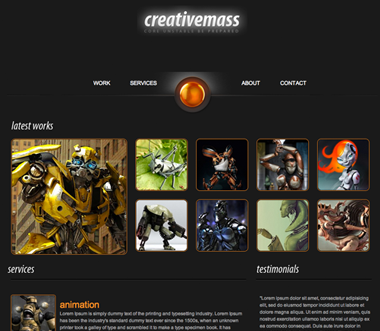
  • Create a copy of an existing website. Choose a nice looking website and recreate it.
  • You will use the same image and the same colors from the website. You can use any site you'd like. Please get approval before beginning this assignment.
  • [ Site I chose: http://besupercharged.com ]

Assignment 6

  • Use a jQuery script to display photo in either a gallery format or a slideshow
  • You may use any script.

Assignment 7

  • Use your assignment 2,3,4,5 or any page you choose, file and convert it into a Dreamweaver template.
  • Create 4 pages based on the template.
  • Using the Dreamweaver template, link to each of the 4 files
  • Add a descriptive title and heading to each page to identify the page.
  • Use Dreamweaver's CSS Panel to add color and/or images to the page. The only requirement is that you use a consistent color scheme.

Assignment 8

  • Convert a table based layout to a CSS based layout
  • There should not be a table on the page when you complete this assignment.
  • Use an image replacement technique on the banner.
  • Upload it.

Assignment 9

  • Convert a PSD to a web page. You can create a PSD yourself, download one of the Internet or use one supplied

Assignment 10

  • Create a form with at least 3 fields. One field should be an email address field
  • Use accessible tags such as label, fieldset and legend
  • Style the form using CSS. Do not use a table.
  • Submit the form to the following: http://webhowto.awardspace.com/process-form.php
  • Add method="post" to your form tag.

Final

Final web site

Final Project Option #4

  • Convert A PSD to a Web Page

Wordpress blog

Midterm

Midterm

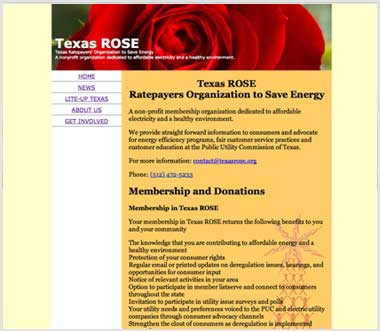
Redesign a NonProfit Website

Original website: www.texasrose.org

Wordpress blog

Bonus assignments

Bonus assignment 3

Create a Wordpress blog on your Freehostia account and change the theme
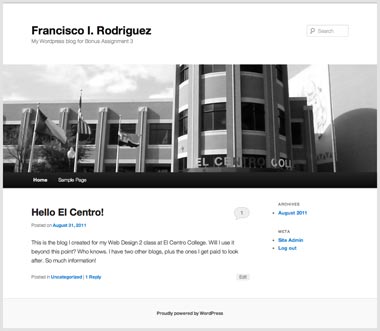
Wordpress blog


Francisco I. Rodríguez • IMED-2415 • El Centro College • Fall 2011